VPN management

Traverse.
WireGuard VPN dashboard with Pi-hole built in.
- Status
- Active
- Live
VPN peers connected now Live figure unavailable right now
- Stack
- Licence
- MIT
- Last update
- Oct 2026
- Source
- Source on GitHub
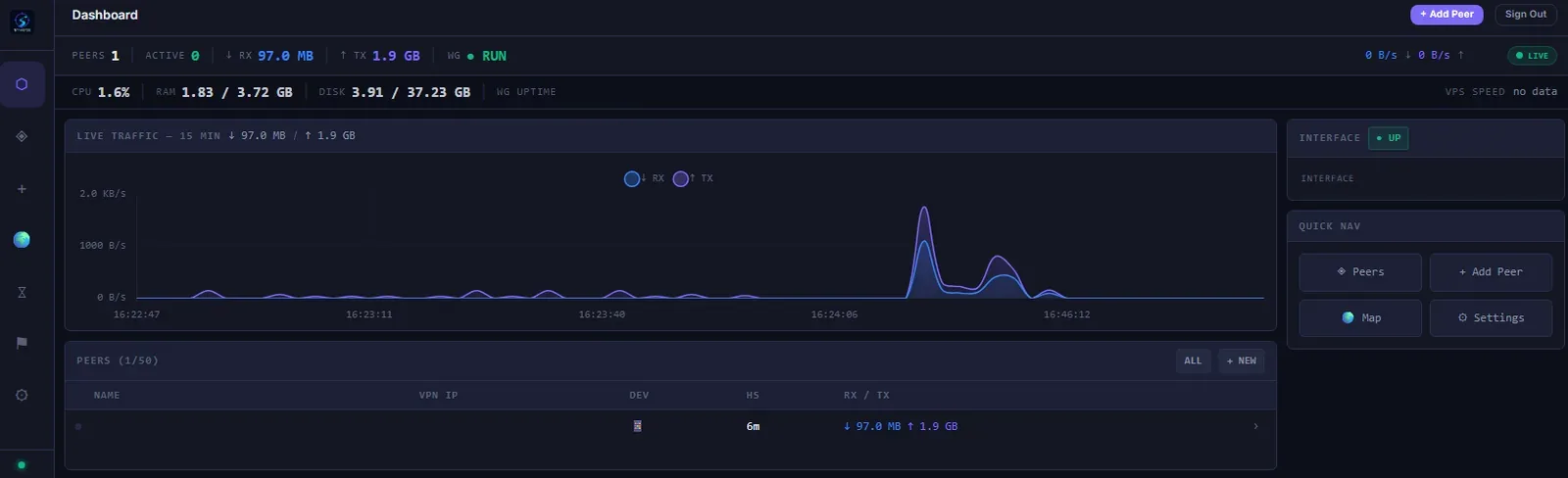
Create VPN peers in a few clicks, watch live traffic on a map, and block ads for every device on the tunnel with built-in Pi-hole.
Why I built it
Running your own WireGuard server is easy; living with it is not — generating configs, tracking who is connected, and knowing what the tunnel is doing. Traverse is the dashboard for that.
What it does
- Peers in a few clicks — a guided wizard, three tunnel modes, per-peer DNS, expiry dates, and a config file plus QR code for each device.
- Live monitoring — one-second traffic graphs, per-peer bandwidth history, a real-time event feed and a connection map.
- Alerts — email, Telegram and Discord notifications, plus browser push.
Engineering decisions
- Pi-hole built in — DNS-level ad-blocking for every VPN client, with blocked counts, top blocked domains and per-peer query logs, instead of a separate box to run.
- Installable — works as a PWA on phones and desktops.